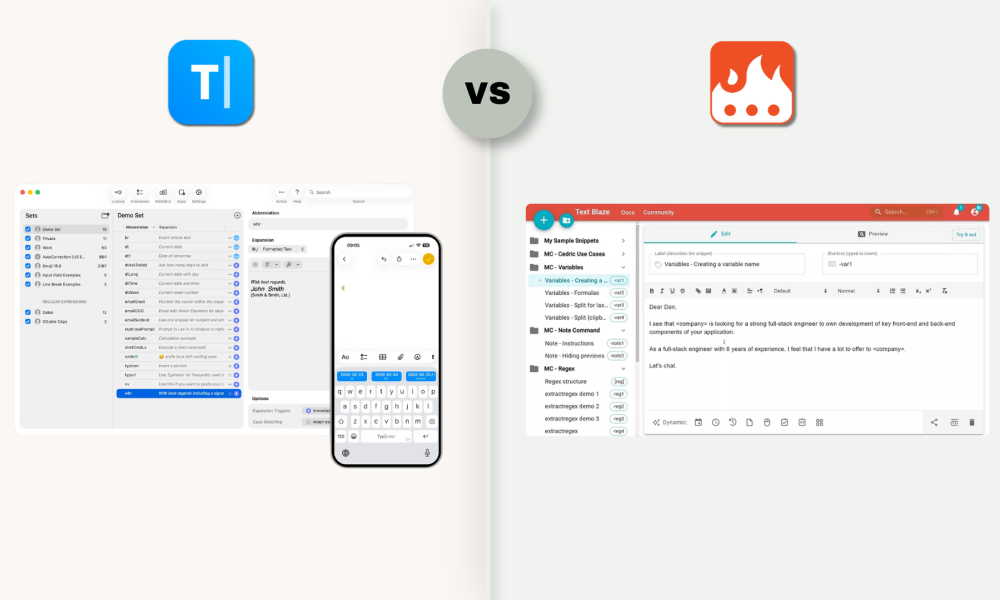
Typinator vs. Text Blaze: The 2026 comparison
Choosing the right text expander for Mac usually comes down to where the work happens, who controls the data, and how much depth the trigger engine needs to provide. This comparison puts Typinator and Text Blaze side by side on offline reliability, trigger flexibility, automation, data portability, team collaboration, and long-term vendor track record.
| Feature | Typinator | Text Blaze |
| Platforms | Native macOS and iOS companion | Chrome, Edge, Windows, macOS. No mobile apps. |
| Offline use | System-wide, fully offline | Desktop apps allow some offline use; full feature set depends on cloud sync |
| Trigger types | Regex, case-sensitive triggers, delimiter control | Fixed keyword triggers with dynamic forms |
| Automation | Fill-in fields, dropdowns, calculations, conditional logic, autocorrection, plus AppleScript, JavaScript, shell commands, complex regex | Visual form builder with dropdowns, if/then logic, formulas, validation |
| Performance | Stable with very large abbreviation libraries | Cloud-connected; performance depends on connection and app surface |
| Storage | Local-first, user-controlled folders | Cloud-based by default |
| Portability | Files in a folder you own | Tied to account; export available, manual portability |
| AI features | Apple Intelligence as authoring assistant for building and refining abbreviations | OpenAI integration for content generation inside snippets |
| Sync | iCloud, Dropbox, NAS, custom folder, or none | Built-in cloud sync |
| Team sharing | Shared sets via Dropbox, NAS, network drives, or iCloud with usage statistics | Cloud team folders, shared defaults, analytics, central dashboard |
| Pricing model | One-time license for private use (Basic), annual subscription for private (Advanced) and Business use | Freemium plus paid tiers |
| Vendor history | ergonis, founded 2002, 22+ years in the productivity-software space | Text Blaze (Blaze.today), founded 2019, Y Combinator backed |
| Compliance posture | ISO 27001 (company certification), GDPR, EU-based vendor | US-based vendor, no public compliance certifications listed |
| Windows version | Launching in autumn 2026 | Available today |
| Awards | Capterra Best Value 2026, Software Advice Most Recommended 2026 | Strong G2 and Capterra ratings |
Does the best text expander for Mac work without internet?
The most important factor in a daily-driver text expander is where it actually runs.
Typinator is a native macOS app. It lives in the menu bar and monitors input across the operating system. Whether you write a Salesforce update, a Zendesk reply, or notes in Apple Notes, the abbreviation expands without a network round-trip. Typinator works fully offline.
The independent review at thesweetbits.com describes the behavior under heavy use:
"Typinator is great when you have a large enough local library of snippets. We also love that the Typinator app for macOS does not consume a lot of resources. So, even when using an app like Photoshop or Illustrator, we could easily expand text into those apps. We constantly rely on Typinator to simplify editing/proofreading tasks for books. Expansions make it easier to manage hundreds of references."
Text Blaze started as a browser extension and is still browser-first in design. The Chrome and Edge extensions cover most everyday use cases inside Google Workspace, Zendesk, and similar web tools. The Windows and macOS desktop apps add system-wide use, with the caveat that they do not yet have full feature parity with the Chrome extension. Dynamic content and team-shared snippets depend on server availability.
For Mac users who work across native apps and the browser, an offline-capable, system-wide tool removes a class of failure modes that a browser-resident tool cannot fully solve.
Can snippet automation give you full workflow control?
Typinator and Text Blaze take different routes to the same goal: customizable, repeatable text. Each route has trade-offs.
Typinator uses a programmable trigger engine. Abbreviations live in sets, and each set can have its own rules. Regex patterns enable pattern-based, context-aware expansion. Case sensitivity lets FAQ and faq behave differently or identically, depending on intent. Delimiter control defines which characters (space, period, return) actually confirm an expansion. AppleScript, JavaScript, and shell scripts run inside an abbreviation, so a single trigger can read the clipboard, query the calendar, or assemble structured output. Autocorrection catches common typos at the same layer.
Text Blaze takes a no-code path that is genuinely capable. Inside a snippet, you can place text fields, dropdowns, toggles, dates, and conditional {if} blocks. Formulas ({=}) compute values across form fields. Validation blocks ({error}) stop a snippet from being inserted until the data is correct. For customer-support and sales teams without scripting capacity, this is a strong way to ship reliable templates fast.
The honest summary: Typinator gives you a programmable engine that fits engineers, legal teams, and anyone with regex- or script-shaped problems. Text Blaze gives you a polished forms layer that fits support and sales teams who want logic without code.
Typinator earned the Capterra Best Value 2026 and Software Advice Most Recommended 2026 awards for usability in addition to its automation depth. Find out why Typinator earned the ease of use badge on Capterra.
Typinator 10: AI-assisted authoring
Typinator 10 integrates Apple Intelligence as an authoring assistant inside the app. This is not a runtime feature. It does not transform expansions at the moment of typing. Instead, it helps you build better abbreviations faster.
Concretely, you can draft a new abbreviation from rough notes, refine existing sets for clarity, generate structured code skeletons for development workflows, and rework wording without leaving Typinator.
The point is intentional: text expansion runs locally and predictably. AI shapes the library, not the live keystrokes.
Text Blaze offers OpenAI integration that lets snippets call a model at runtime to generate text inside a template. That is a different design choice, useful for content drafting workflows where each output should be slightly different.
Which text expander keeps your data safe?
Data ownership is the structural question behind most enterprise comparisons.
Typinator stores abbreviations and sets locally on the Mac by default. You choose the sync method: a custom folder, NAS, iCloud, Dropbox, or no sync at all. If you stop using Typinator, the files remain on your machine. ergonis runs no central data store, which means there is no third-party server holding your library. ergonis Software GmbH is ISO 27001 certified at the company level and is based in the EU, so the product is subject to EU data protection law.
Text Blaze stores snippets in its cloud by default. This is what makes onboarding, sharing, and analytics easy out of the box. Export options exist if you want to leave, but day-to-day operation runs against Text Blaze's infrastructure. For teams that handle regulated data, this needs evaluation against your own compliance framework.
For Mac teams in legal, medical, financial services, and German-speaking enterprise environments, the local-first model is often the deciding factor.
Expansion on Apple devices: iOS app
Mobile coverage on Apple devices is one of the clearest differences between the two tools. Text Blaze does not currently offer iOS or Android apps. Typinator 10 includes an iOS companion app, so the same abbreviation you use on the Mac is available on iPhone and iPad via a custom keyboard.
Two things to disclose upfront: the iOS app is a companion that requires an active Typinator Mac license, it is not a standalone product. Sync between Mac and iOS runs via iCloud only.
Team collaboration: controlled sharing or managed cloud
Text Blaze ships team features that are ready out of the box. Cloud team folders, shared default snippets, usage analytics, user properties, and a central dashboard make it a strong fit for distributed teams already operating in Google Workspace, Zendesk, or other cloud-first stacks. There is little setup overhead.
Typinator supports team sharing through shared sets distributed via network drives, shared folders, Dropbox, iCloud, or any storage location you control. Access, location, and revocation stay in your hands. This requires more configuration than a single-click cloud invite, in exchange for control over where the data lives.
The choice usually maps to the existing IT posture: Mac-first organizations with NAS or shared drives align well with Typinator. Distributed teams without a managed Mac fleet often find Text Blaze faster to roll out.
Try Typinator for free using the "try before you buy" trial.
Quick decision guide
| Choose Typinator if | Choose Text Blaze if |
| Your team works primarily on macOS, with iPhone or iPad in the loop | Your team works primarily in the browser (Gmail, Zendesk, Salesforce Lightning, Intercom) |
| You need system-wide expansion, not only inside the browser | You run a mixed Mac, Windows, ChromeOS fleet |
| Local storage, EU data protection law, and ISO 27001 at the company level matter to your compliance posture | A cloud-first sharing setup matters more than data sovereignty |
| You want the option to go deeper with regex, AppleScript, JavaScript, or shell commands | Mobile coverage is not a current requirement |
FAQ
Does Typinator work in every Mac app? As a native macOS app, Typinator expands everywhere, including Salesforce, Zendesk, SAP, Microsoft 365, Teams, Xcode, VS Code, and all major browsers.
Is a paid text expander worth it compared to free tools? For professional and team use, yes. Free or browser-only tools hit a ceiling when work crosses native apps, CRM systems, regulated environments, or shared libraries that need version control. A paid text expander that works system-wide and stores data on devices you control covers exactly the cases where free tools start to break.
Which text expansion apps support form-based input? Typinator supports fill-in fields, dropdowns, and macro scripts to build interactive templates. These work across every Mac app, not only in the browser. Text Blaze also supports forms with dropdowns, conditional logic, and formulas inside its snippets, primarily through the Chrome extension.
What is a strong text replacement app for an enterprise Mac team? For enterprise teams on Mac, Typinator is a strong fit. It runs system-wide across business applications including Microsoft Teams, Outlook, Salesforce, Zendesk, and SAP. Abbreviation libraries can be shared across teams via network drives or shared folders kept inside your own infrastructure. A Windows version is launching in autumn 2026, which extends the same approach to cross-platform organizations.
Where do I get a privacy-focused text expander for an enterprise team? Typinator is built on a local-storage architecture. Abbreviations and sets stay on the devices you control, not on a third-party server. ergonis is an EU-based vendor with ISO 27001 certification at the company level, and the product is subject to EU data protection law. For teams in legal, medical, financial services, or other regulated environments, this is usually the part that matters.